Best SSDs for Gaming 2026: Fast, Reliable, and Worth Buying
The quick list
- Samsung 990 PRO – Best overall: Fast, consistent and compatible with almost every modern gaming system.
- WD Black SN8100 – Best high-end pick: Extraordinary Gen5 performance for gaming and heavy file transfers.
- Crucial P510 – Best affordable Gen5 SSD: A sensible step above Gen4 without flagship pricing.
- Biwin Black NV7400 – Best budget option: Strong Gen4 speeds and TLC flash, assuming the price is right.
- WD Black SN7100 – Best for gaming laptops: Excellent efficiency with more than enough gaming performance.
An SSD will not normally increase frame rates, but it can shorten loading screens, accelerate large installations and help games retrieve assets more smoothly. PCIe 5.0 drives are now extremely fast, although PCIe 4.0 remains the better-value choice for most gaming PCs and consoles.
For capacity, 2TB is the current sweet spot: it provides enough room for several large games without the cost of a 4TB model. Sandisk has also begun renaming the WD Black SN7100 and SN8100 as the Optimus GX 7100 and GX Pro 8100, so either name may appear in stores.
Best SSDs for Gaming in 2026: The Fastest and Best-Value Picks
Samsung 990 PRO

|

|

|
|
$239.99
|
$389.99
|
$979.99
|
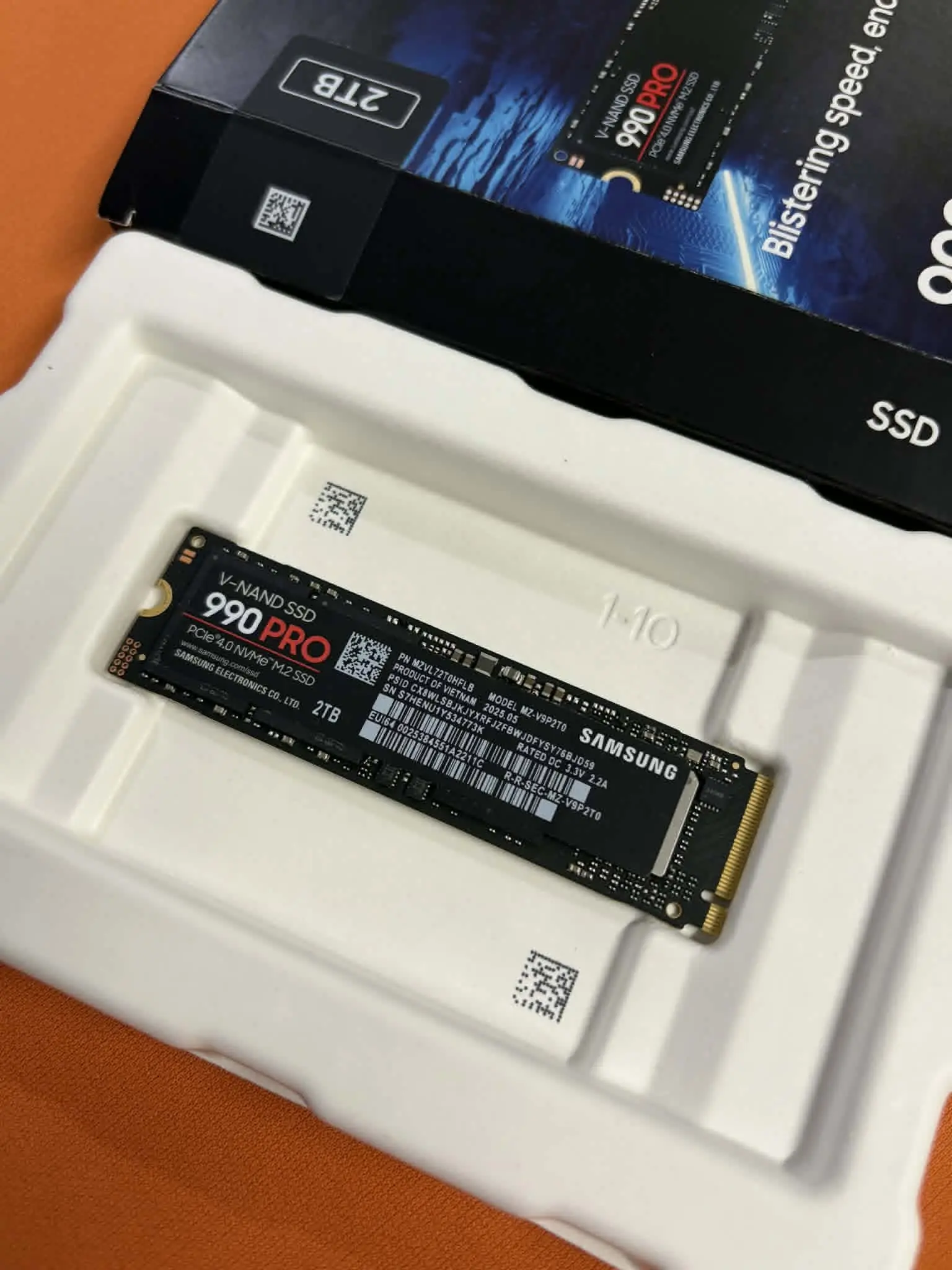
This boy is the easiest drive to recommend. It nearly saturates a PCIe 4.0 connection while working with a much broader range of systems than a Gen5 SSD.
Its sequential speeds reach 7,450 MB/s for reads and 6,900 MB/s for writes. Those figures are most noticeable when installing a large game, unpacking an update or moving a library between drives; they will not suddenly produce more frames once the game is running. Samsung’s controller, onboard DRAM and strong random performance also help the system stay responsive when a launcher, browser and game are all accessing the drive at once.
Tom’s Hardware found the 990 PRO exceptionally consistent in both general and gaming-focused storage tests, rather than fast only in headline sequential benchmarks.
The 2TB version offers the best balance for most gamers, while 4TB is useful for keeping a large library installed. Samsung’s Magician software provides firmware updates, health monitoring and drive-management tools. A heatsink version is also available for the PS5 and compact PCs.
There are faster Gen5 alternatives, and the 990 PRO becomes less attractive when it carries a substantial Samsung premium. However, if its price is close to other high-end Gen4 drives, its balance of performance, compatibility and software support makes it the safest all-round choice.
WD Black SN8100

Raw sequential speed is not the only measurement that matters for gaming. Even so, the WD Black SN8100’s ability to reach as much as 14,900 MB/s for reads and 14,000 MB/s for writes puts it in a different performance class from the Gen4 drives in this list. It uses TLC NAND rather than relying on slower QLC flash, and capacities now extend from 1TB to 8TB.
Tom’s Hardware recorded write speeds above 13 GB/s while the drive’s cache remained available. Even after the cache was exhausted, it continued writing at about 3.9 GB/s….useful when transferring large game libraries, recording gameplay or editing video.
Games will load quickly, but the difference between this and an excellent Gen4 drive such as the Samsung 990 PRO is unlikely to transform the experience. The SN8100 makes sense when the same computer is also a workstation, or when you simply want a no-compromise storage setup ready for heavier DirectStorage workloads.
You will need a PCIe 5.0 M.2 slot to access its full performance, and a motherboard heatsink or the dedicated heatsink version is advisable during sustained transfers. There are cheaper ways to make games load quickly, but few of them can match the SN8100 when gaming is only one part of a much heavier workload.
Crucial P510

|

|
|
$179.07
|
$339.99
|
The Crucial P510 delivers up to 11,000 MB/s reads and 9,500 MB/s writes without the heat and cost associated with many flagship Gen5 drives. Its efficient, single-sided design is particularly helpful in compact desktops and performance laptops. Crucial says it uses nearly 25% less power than its previous Gen5 design, which is helpful in compact desktops and performance laptops where heat quickly becomes a limiting factor.
Although the P510 is a DRAM-less drive, that did not prevent it from performing well in Tom’s Hardware’s gaming test, where it surpassed leading Gen4 models including the Samsung 990 PRO. It also remained close to the 990 PRO in the broader PCMark 10 storage test. This does not mean every game will load noticeably faster, but it shows that the drive’s simplified architecture does not automatically translate into a compromised gaming experience.
Choose the P510 when you already have a Gen5 system and it costs only moderately more than a premium Gen4 SSD. For ordinary Gen4 builds, the extra expense offers little practical benefit.
Biwin Black Opal NV7400

|
|
|
|
$174.99
|
$340.99
|
$489.99
|
The boy approaches the budget category without feeling like a bare-minimum drive. It combines TLC NAND with rated speeds of up to 7,450 MB/s for reads and 6,500 MB/s for writes, giving it enough bandwidth for fast game installations and large library transfers. Its single-sided layout is available at capacities up to 4TB, making the drive easier to fit into laptops and other space-constrained systems, while a graphene thermal pad helps spread heat away from the controller.
Tom’s Hardware found it to be a good all-round performer with sensible power efficiency, cool operation and unusually high endurance ratings for its class. Availability is its main weakness, and the recommendation depends heavily on price: it is an excellent budget choice when it undercuts established alternatives, but much less persuasive when it costs as much as a Samsung 990 PRO.
Buyers using it in a PS5 should also add a properly sized console-compatible heatsink rather than treating the thin graphene pad as a substitute.
WD Black SN7100

|
|
|
|
$191.00
|
$329.99
|
$579.99
|
Gaming laptops benefit as much from efficiency as they do from peak throughput, which is where the WD Black SN7100 stands out.
It can reach 7,250 MB/s for reads and 6,900 MB/s for writes at common capacities, but its excellent random-read performance and low power consumption are more relevant to portable gaming: the former helps with responsive loading and asset access, while the latter reduces unnecessary heat and battery drain.
Tom’s Hardware also found it within roughly 2% of the fastest drives in its PS5 tests, illustrating how little practical separation there can be between good Gen4 SSDs in console workloads. Capacities now extend to 4TB, with endurance rated as high as 2,400 TBW and a five-year warranty, so it can accommodate a substantial game library without turning a thin laptop into a thermal challenge.
Its all-round desktop performance is not always class-leading for the price, but for a laptop, handheld-style PC or compact system, the SN7100’s combination of speed and efficiency is more valuable than another impressive number on a benchmark chart.
What to look for in a gaming SSD!
Start with compatibility. A PCIe 5.0 drive will generally operate in a Gen4 M.2 slot, but it will be limited by the older interface, making the extra expense difficult to justify. For a PS5, choose a compatible M.2 2280 Gen4 drive and ensure that it has a heatsink that fits within the console’s expansion bay.
Capacity usually matters more than chasing the final few hundred megabytes per second. A 1TB SSD is workable for a smaller library, but 2TB offers a much more comfortable balance as individual games continue to exceed 100GB. A 4TB model costs more upfront, although it can prevent the repeated uninstalling and redownloading of large titles.
Finally, do not judge a drive by sequential read speed alone. Random performance, sustained writing, power efficiency, temperature and warranty coverage reveal more about how well it will behave as an everyday system drive. The quickest model on the box is not necessarily the best value inside your PC.
The Samsung 990 PRO is the best default recommendation because it combines mature Gen4 performance with wide compatibility and useful management software. Choose the WD Black SN8100 if you have a high-end Gen5 system and regularly move very large files, or the Crucial P510 if you want Gen5 performance at a more reasonable level. The Biwin NV7400 is the budget option to watch when availability and pricing are favorable, while the efficient WD Black SN7100 is the strongest fit for gaming laptops and other compact systems.