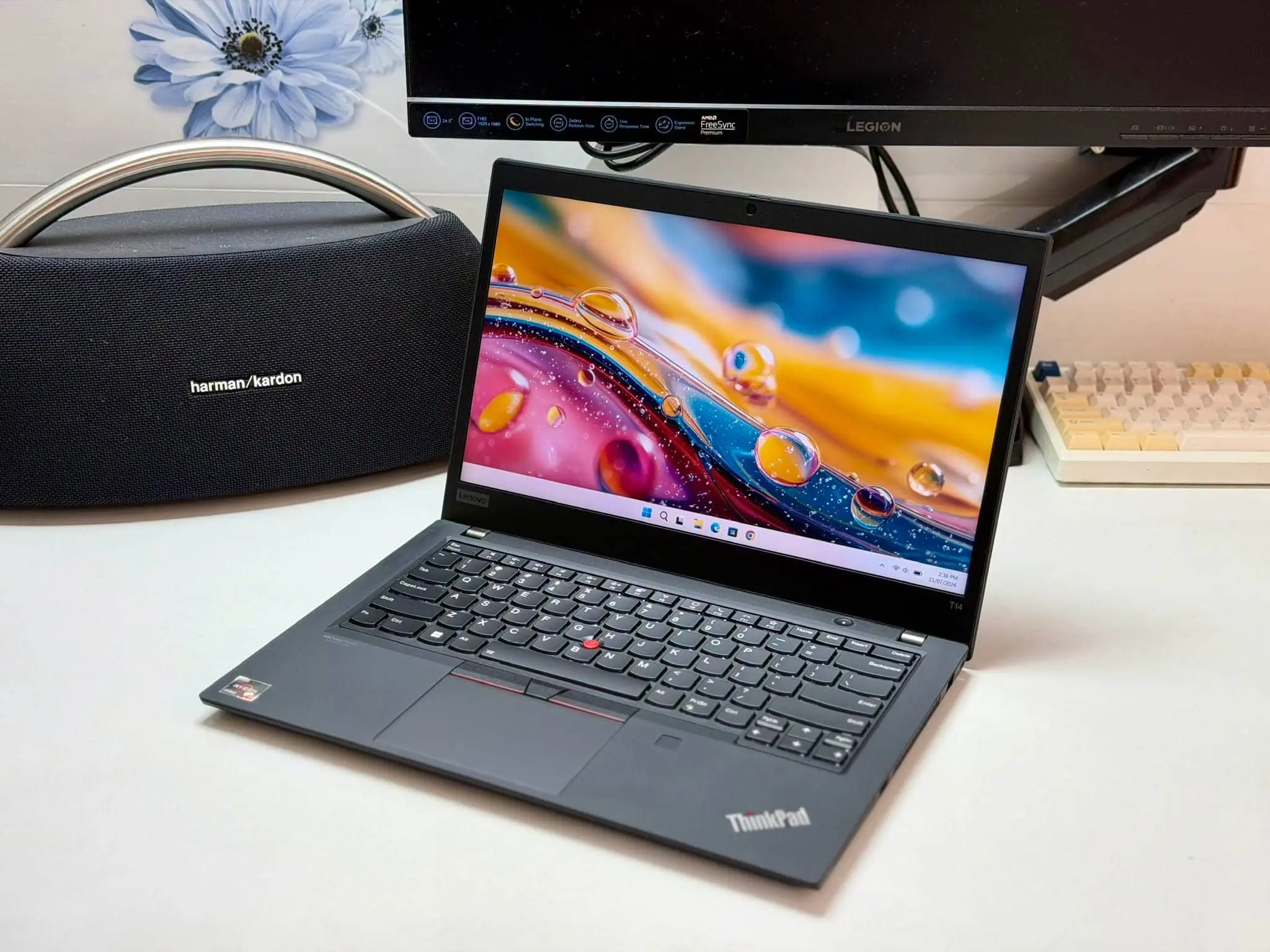
The Lenovo ThinkPad T14 Gen 6 AMD is the best overall pick for computer science major on the market currently. The ThinkPad E16 Gen 2 provides more screen space and easier upgrades, while the IdeaPad Slim 5 delivers strong processing performance for less. If the budget is especially tight, the Acer Aspire Go 15 covers the essentials without feeling painfully slow.
Computer science students do not necessarily need the graphics power of an expensive gaming laptop. What matters more is how well a machine handles an IDE, several browser tabs, a local database and perhaps a Docker container or virtual machine….all running at the same time.
One limitation applies to all four laptops: none has a dedicated Nvidia GPU. They can handle introductory AI and data-science coursework, but students training larger machine-learning models should expect to use Google Colab, university servers or another cloud GPU service.
Best laptops for computer science students
Lenovo ThinkPad T14 Gen 6 AMD

The ThinkPad T14 Gen 6 is the laptop I would most readily recommend to a computer science student who wants one dependable machine for an entire degree. It is compact enough to carry around campus, yet it does not sacrifice the keyboard quality or connectivity that becomes important once you start using it every day.
Its Ryzen AI 7 Pro 350 has eight cores and 16 threads, which gives it enough processing headroom to compile larger projects while keeping documentation, communication apps and a development server open in the background. The recommended 32GB of DDR5 memory matters even more: it allows Windows, an IDE, Docker and one or two virtual machines to coexist without constantly competing for RAM. Lenovo provides two accessible memory slots, so the laptop can later be expanded to 64GB.
The processor also includes a 50-TOPS NPU for supported on-device AI features. That sounds impressive, but it should not be confused with an Nvidia GPU: most CUDA-based machine-learning courses will still require cloud computing. The integrated Radeon 860M is better suited to interface development, media work and light game programming.
At a starting weight of around 3.05lb, the T14 is the easiest laptop here to carry between lectures. Its two USB4 ports, HDMI and Ethernet also make it easy to connect external monitors, development boards or a wired laboratory network. Notebookcheck recorded 13 hours and 46 minutes in its Wi-Fi test, reinforcing the T14’s credentials as an all-day campus laptop.
If possible, choose the 500-nit, 100% sRGB low-power display. The cheaper 400-nit panel is perfectly usable for coding, but its limited color coverage makes it less appealing for UI design and other visual work.
Lenovo ThinkPad E16 Gen 2 AMD
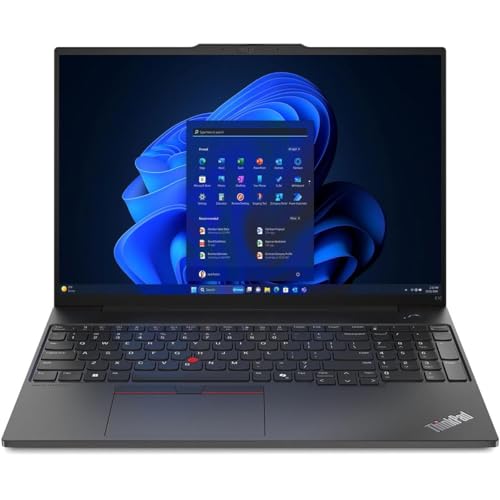
The advantage of the ThinkPad E16 becomes apparent as soon as you start arranging windows. Its 16-inch, 16:10 display gives you more room to place an editor beside a browser, terminal or database client, reducing the amount of switching required during a programming assignment. The numeric keypad is also useful for statistics and data-analysis work.
Underneath, the Ryzen 7 7735U combines eight cores with Radeon 680M graphics. Paired with 32GB of RAM, it is well equipped for multitasking, virtual machines, RStudio, Python notebooks and moderate software-compilation workloads. Both memory modules are replaceable, and a second M.2 slot lets you add another SSD later. A 512GB drive is sufficient if most projects live in the cloud; 1TB is the better choice if you plan to store virtual-machine images, large datasets or several development environments locally.
There are two compromises. At roughly 3.9lb, the E16 is noticeably less convenient to carry than the T14, and its standard 300-nit display has limited color coverage. I would pay extra for the 400-nit, 100% sRGB panel if it is available. Notebookcheck’s lower-spec Ryzen 5 review unit lasted 8 hours and 55 minutes in Wi-Fi browsing and remained responsive with multiple programs open, although demanding CPU performance dropped on battery power.
Lenovo IdeaPad Slim 5 Gen 9 16-inch AMD

On paper, the IdeaPad Slim 5 is the performance bargain of this group. Its Ryzen 7 8845HS is a higher-power eight-core processor that can make short work of code compilation, data processing and other CPU-heavy assignments.
The integrated Radeon 780M is also more capable than the graphics found in most affordable productivity laptops. It can handle lightweight game development and GPU-assisted creative applications, although it still lacks the CUDA support needed by many machine-learning frameworks.
There is, however, an important catch. The recommended configuration has 16GB of soldered memory. That is enough for VS Code, web development and normal university assignments, but it can become restrictive when Android Studio, emulators, Docker containers or multiple virtual machines enter the picture. Because it cannot be upgraded, the 32GB version is worth choosing if the price difference is reasonable.
Screen quality varies as well. The basic 300-nit IPS display is spacious but not especially colorful, while the optional 2K OLED panel is sharper, smoother and far better suited to UI or creative work. LaptopMedia’s OLED review configuration stayed responsive under everyday use and lasted 9 hours and 16 minutes in its video test with the 57Wh battery.
The IdeaPad Slim 5 offers excellent processing power for its price. Just make sure 16GB will remain enough for your course, because this is one specification you cannot improve later.
Acer Aspire Go 15

Let’s get one thing out of the way: the Aspire Go 15 is not designed for advanced local machine learning or graphics-heavy development. What it does offer is an Intel Core i5-13420H processor, 16GB of DDR5 memory and a 512GB SSD at a budget-friendly level. That combination is sufficient for web development, introductory Java or Python programming, SQL databases and everyday multitasking. The 15.6-inch matte IPS screen provides enough space for an editor and terminal, while HDMI, Ethernet and four USB ports reduce the need for adapters.
You can see where Acer has saved money. The chassis is plastic, the keyboard is not backlit, and LaptopMedia measured only 50% sRGB coverage from the AG15-71P display. Its tested higher-end configuration also lasted around five and a half hours in video playback, so carrying the charger is sensible. On the positive side, two accessible memory slots allow an eventual upgrade to 32GB—useful if virtual machines become part of your course. This is a practical first-year programming laptop, but students planning heavier data-science or software-engineering work should buy the IdeaPad or one of the ThinkPads if their budget allows.
What to look for in a computer science laptop
A processor specification only becomes meaningful when it is connected to the way you work. More cores can shorten compilation and data-processing times, but even a powerful processor will feel constrained if there is not enough memory to keep an IDE, browser, database and virtual machine open together.
Sixteen gigabytes of RAM is suitable for ordinary programming and web development. Thirty-two gigabytes is a safer target for Docker, Android emulators, cybersecurity labs, large datasets and multiple virtual machines. Upgradeable memory is especially valuable because these workloads often become more demanding later in a course.
A dedicated GPU is unnecessary for most computer science students. The exception is coursework involving CUDA, large neural networks, advanced game development or other GPU-compute tasks. Integrated Radeon or Intel graphics can display code and run introductory models, but they do not replace an Nvidia GPU. Cloud services are often the more economical solution.
Finally, do not overlook the keyboard, display and battery. A comfortable keyboard matters when you spend hours writing code, while a 16:10 screen exposes more lines without scrolling. Battery life determines whether a laptop can survive a full lecture schedule, and a lighter machine is much easier to carry across campus every day.
Final thoughts
The Lenovo ThinkPad T14 Gen 6 AMD is the best-balanced choice, combining 32GB of upgradeable memory with strong performance and genuine all-day portability. Choose the ThinkPad E16 if you prefer a larger workspace and easier storage expansion, or the IdeaPad Slim 5 if processing power matters more than long-term memory upgrades. The Acer Aspire Go 15 is the cheapest workable option, but its display and battery remind you where the savings were made.