External SSDs are faster, smaller, and far less bothered by the occasional bump. They are also expensive once you start shopping for several terabytes. If you need somewhere affordable to keep nightly backups, an overflowing photo library, or games you are not ready to delete, a traditional hard drive still makes plenty of sense.
Just remember that no drive lasts forever. Keep irreplaceable files in at least two places, preferably with another copy stored in the cloud or away from home.
Our Recommendations for the Best External Hard Drive
Best Overall Pick: WD Elements Desktop
|
WD 1TB Elements

|
WD 5TB Elements

|
WD 6TB Elements

|
WD 8TB Elements
|
|
$119.50
|
$213.50
|
$309.99
|
$379.99
|
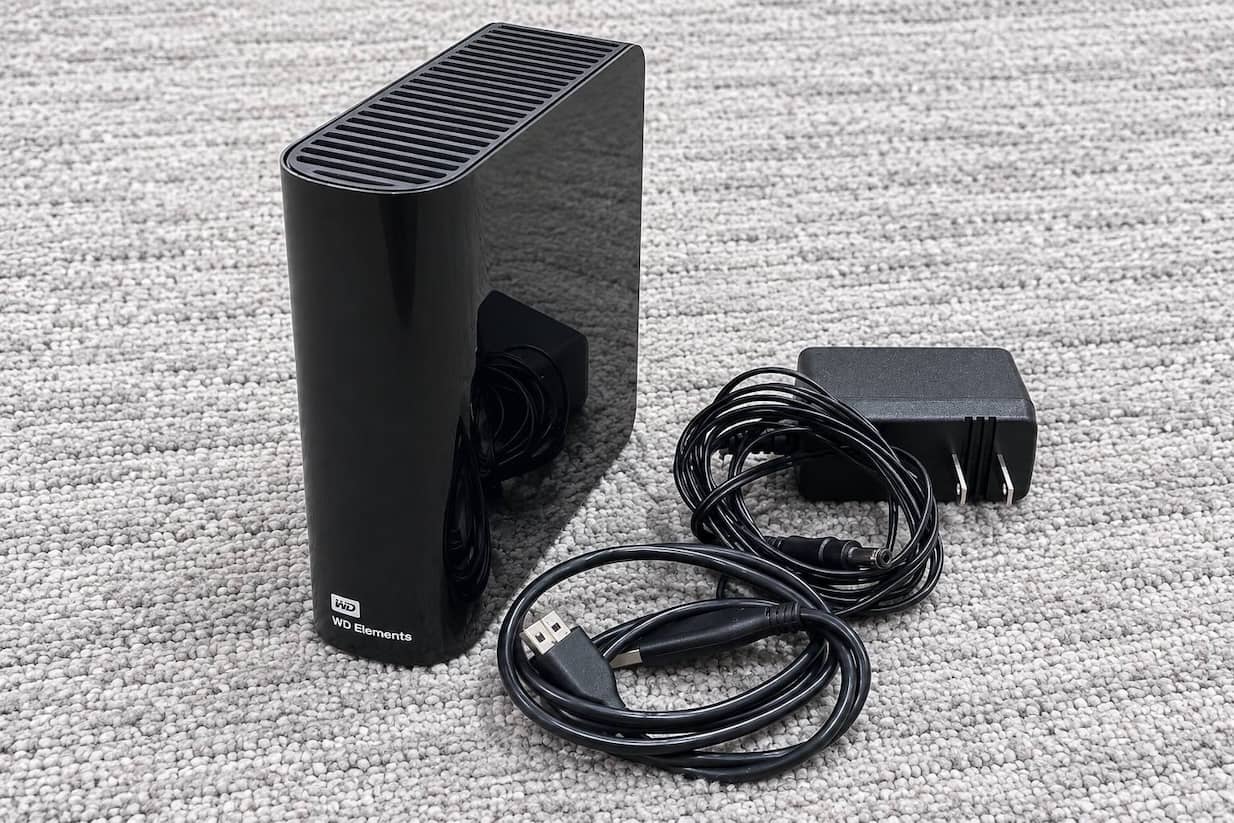
If your backup drive rarely needs to leave the desk, the WD Elements Desktop is the sensible choice. It is not especially exciting, but backup hardware does not need to be exciting. It needs to hold a lot of files without costing as much as the computer sitting next to it.
Western Digital currently offers capacities from 4TB through 26TB. The enclosure measures 135 by 48 by 165.8 millimeters and weighs between 0.86 and 0.95 kilograms, depending on capacity. It also requires an AC adapter, which confirms what the name already tells you: This is a desktop drive, not something you will casually throw into a laptop bag.
Its USB 3.2 Gen 1 interface has a theoretical ceiling of 5 Gbps, but the spinning disk is the real limitation. In a Windows test of an Elements Desktop variant, WIRED recorded a sequential write speed of 120 MB/s. That is unremarkable for moving a large video project in a hurry, but perfectly reasonable for a backup scheduled to run overnight.
The drive works out of the box with Windows 10 and newer, while macOS users must reformat it first. The standard worldwide warranty is two years. Buy it when capacity and cost per terabyte matter most; skip it if you need a drive that regularly travels with you.
WD My Passport
|
WD 1TB My Passport

|
WD 2TB My Passport
|
|
$126.50
|
$132.00
|
The My Passport is a better fit for people whose files move between home, work and everywhere in between. Capacities range from 1TB to 6TB, and even the largest model weighs only 0.21 kilograms. It is not pocket-sized in the smartphone sense, but it disappears easily into a backpack compartment and draws its power through the data cable.
Where the My Passport separates itself from more basic portable drives is software. Western Digital includes downloadable backup and device-management software with ransomware defense, along with password protection and hardware encryption. There is also a three-year worldwide warranty, which is notably longer than the coverage supplied with the Elements Desktop or Canvio Basics.
There are still a few annoyances. The included connection is USB-A rather than USB-C, and macOS users may need WD’s NTFS driver or a reformat. Transfer speeds remain limited by the mechanical drive, so this is better for daily backups and carrying documents than editing large video files directly from it. Still, the balance of portability, capacity and security makes it the easiest all-around recommendation here.
Toshiba Canvio Basics

The Canvio Basics is almost aggressively uncomplicated, and that is its appeal. Connect the USB cable, drag over your files and you are done….there is no software to install or separate power adapter to carry. The 1TB and 2TB versions weigh 149 grams and measure just 14 millimeters thick; the roomier 4TB model increases those figures to 217.5 grams and 19.5 millimeters.
That simplicity also means no automatic backup utility or password-protection software. The drive arrives formatted in NTFS for Windows, so macOS users must reformat it, and Toshiba provides only a one-year limited warranty. Those compromises are easier to accept if the Canvio is meaningfully cheaper than the My Passport. It is the drive to buy when you want inexpensive portable storage without paying for extras you will never use.
WD Black P10 Game Drive
|
WD_Black 2TB Pink P10

|
WD_Black 4TB Pink P10

|
WD_Black 6TB Pink P10
|
|
$131.99
|
$246.99
|
$329.99
|
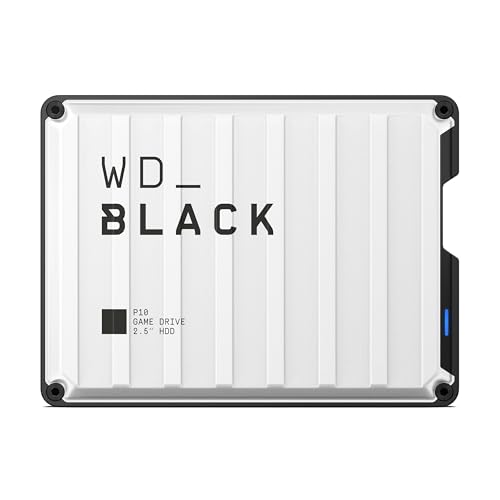
Modern game installations have an impressive ability to make a spacious console feel full. The WD_BLACK P10 gives that growing library somewhere else to live.
It is available in 2TB, 4TB, 5TB and 6TB capacities. Western Digital rates the drive for read speeds of up to 130 MB/s over USB 3.2 Gen 1….respectable for a portable HDD, though nowhere close to the speed of a modern external SSD.
Console support comes with an important footnote. On a PlayStation 5, the P10 can store PS5 titles and play PS4 games directly. On an Xbox Series X or Series S, it can store current-generation games and directly play Xbox One titles. Native PS5 and Xbox Series games generally need to be transferred back to the console’s internal storage before they can run.
The ridged metal top and industrial styling make the P10 look more at home beside a console than a plain office drive. It is still compact enough to travel, with the 2TB model weighing 0.16 kilograms and the 6TB version weighing 0.25 kilograms.
The P10 is therefore more useful as a game archive than as a performance upgrade. Moving a game back to internal storage is still far quicker than downloading it again, especially on a slow or capped internet connection. Add a three-year limited warranty, and the P10 becomes a practical purchase for a large library—just do not buy it expecting SSD-like loading times.
How We Made These Choices!
We began by separating these drives according to what they are actually good at. Desktop models received more weight for capacity and cost per terabyte, while portable drives were judged on size, weight, cable requirements, security, and whether they need a separate power supply. For the WD Black P10, we also considered console restrictions rather than assuming that a “gaming” label automatically means better performance.
We checked capacities, interfaces, warranties, encryption, and compatibility against current specifications from Western Digital, Seagate, and Toshiba. Where independent measurements were available, such as WIRED’s 120-MB/s sequential-write result for the WD Elements, we used them instead of treating the theoretical speed of a USB connection as real drive performance. Prices change frequently, so value was assessed primarily by cost per terabyte rather than the cheapest sticker price.
External Hard Drive Buying Guide
Should You Buy an HDD or SSD?
Buy an HDD when you need several terabytes for backups, photos, videos, or games at the lowest possible cost. An SSD is the better choice for editing video directly from the drive, moving large files frequently, or carrying storage somewhere it may be bumped or dropped. SSDs are considerably faster and have no moving parts, but high-capacity models remain expensive.
Desktop or Portable?
Desktop drives offer higher capacities and usually better value, but they require a wall outlet. They make the most sense for scheduled backups and archives that stay beside one computer.
Portable hard drives draw power over USB and fit easily into a bag. They are more convenient for travel, although their moving parts are still vulnerable to drops. If you carry important files daily, a portable SSD is safer.
How Much Storage Do You Need?
A 1- or 2-TB drive is enough for documents, coursework, and a modest photo collection. Consider 4 to 6 TB for large game libraries or regular laptop backups. Photographers, videographers, and households backing up several computers may benefit from an 8-TB or larger desktop drive.
Try to buy more space than you currently need, but always compare the cost per terabyte. Sometimes an 8-TB model costs only slightly more than the 6-TB version.
Do USB 3.0 and USB 3.2 Make an HDD Faster?
Not necessarily. USB 3.0 and USB 3.2 Gen 1 both provide a theoretical connection speed of up to 5 Gbps, but the mechanical drive inside is usually the bottleneck. For example, the WD Black P10 is officially rated at up to 130 MB/s despite using USB 3.2 Gen 1. Do not pay extra for a newer-looking USB label unless the drive itself can use the additional bandwidth.
Can You Play Console Games From an External HDD?
Older-generation games generally work well from an external drive. The WD Black P10 can play PS4 games on a PS5 and Xbox One games on an Xbox Series X or S. Current-generation titles can be stored on it, but typically need to be transferred to compatible internal storage before they can run.
How Long Will an External Hard Drive Last?
There is no guaranteed lifespan. A drive may work for years or fail unexpectedly, so brand reputation and warranty matter less than having multiple copies.
Keep important files on your computer or primary drive, on a separate backup drive, and ideally in cloud or off-site storage. One external hard drive should never hold the only copy of irreplaceable photos or documents.