Best Laptops for College Without Spending a Fortune
A good college laptop isn’t necessarily the cheapest one on the shelf. It’s the computer that can survive four years of deadlines, crowded backpacks, video calls, and an unreasonable number of browser tabs….without making you wish you had spent a little more.
The six laptops below solve different problems. Some prioritize portability, others give you more screen space, and one trades battery life for the graphics power required by engineering and creative courses. Prices and configurations change frequently, so pay close attention to the recommended specifications rather than buying by model name alone.
The Short Version
- Best overall: Apple MacBook Neo
- Best for spreadsheets and business majors: Lenovo IdeaPad Slim 3 15IRU8
- Best ultralight Windows laptop: Asus Zenbook A14
- Best affordable OLED laptop: HP OmniBook 5
- Best for STEM, 3D work, and gaming: Lenovo LOQ 15
- Best big-screen Windows bargain: Acer Aspire Go 15
Top Budget Laptops We Recommend for College
Apple MacBook Neo

Recommended configuration: 512GB SSD if your budget permits; 256GB with cloud storage otherwise.
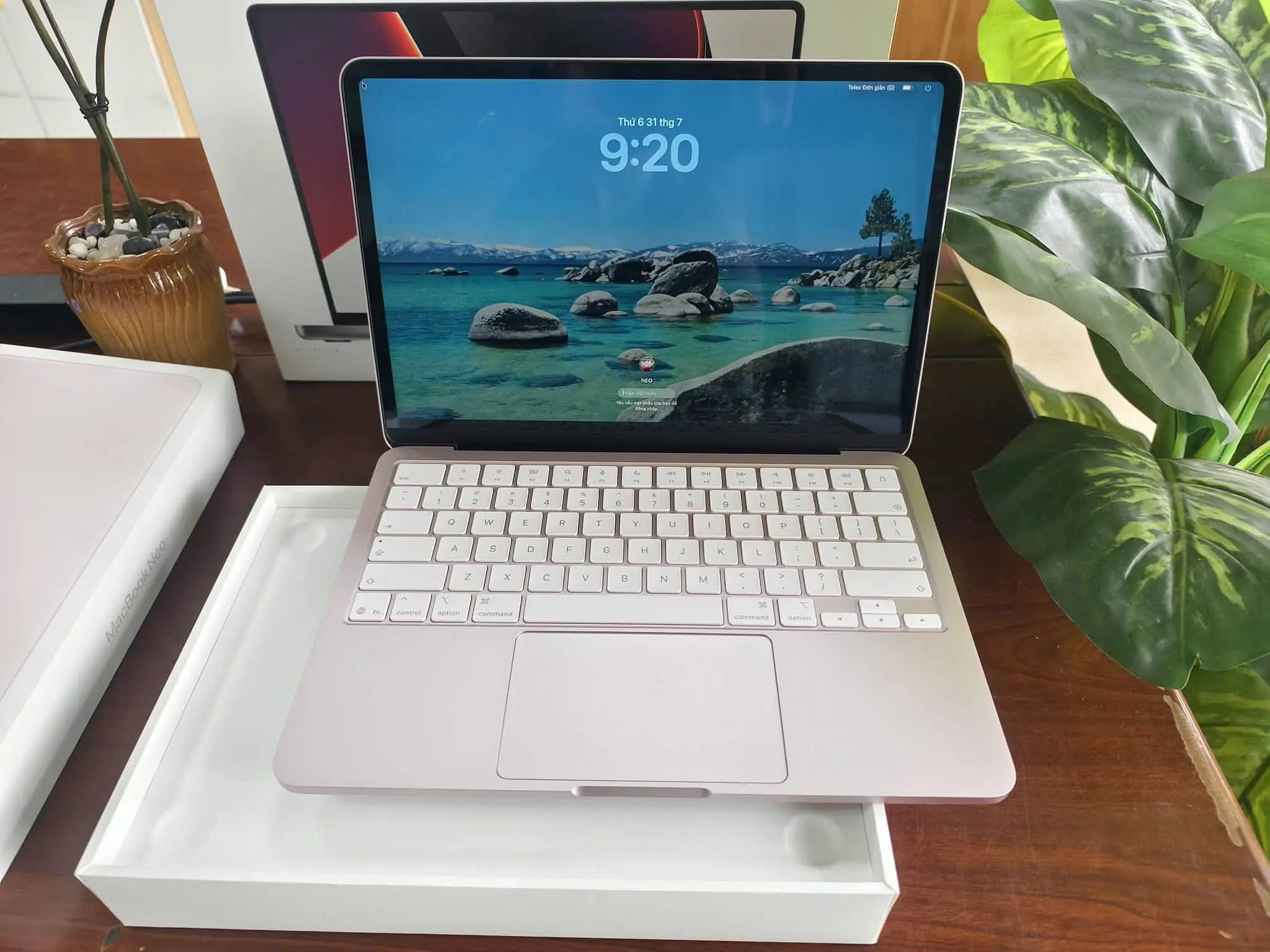
The MacBook Neo is the budget laptop I’d recommend first….with one important condition: Your course must not depend on Windows-only software. Its A18 Pro chip is more than capable of handling research, writing, presentations, video calls, light photo editing, and everyday programming. The 13-inch display reaches a claimed 500 nits, and the entire machine weighs just 2.7 pounds, according to Apple’s published specifications.
Battery life is another reason the Neo works so well on campus. Apple rates it for up to 11 hours of wireless web use, while Tom’s Guide recorded 13 hours and 28 minutes in its controlled browsing test. Either way, this is a laptop you can reasonably carry through a day of lectures without chasing an outlet.
It’s particularly well suited to humanities, education, journalism, communications, psychology, and social-science students. It can also handle introductory Python, web development, and statistics, provided the required applications support macOS.
The catch is memory. Every configuration has only 8GB, and it can’t be upgraded. There’s no Thunderbolt, the base keyboard lacks backlighting, and the laptop supports only one external 4K display. Engineering students who need CAD, or business courses that specifically require Power BI Desktop or other Windows applications, should choose something else.
Lenovo IdeaPad Slim 3 15IRU8

Recommended configuration: Core i5-1335U, 16GB RAM, 512GB SSD, and the 300-nit IPS display.
Spreadsheets benefit from screen space more than glamour, which is where the IdeaPad Slim 3 makes its case. Its 15.6-inch display and dedicated numeric keypad are genuinely useful for Excel, financial models, data entry, and long research documents. The recommended Core i5 configuration has enough performance for Power BI, SPSS, RStudio, light Python work, and heavy browser multitasking. It’s a sensible choice for accounting, finance, economics, business administration, nursing, and education majors.
Just don’t buy the first Slim 3 you find. Lenovo’s specification sheet lists both dim TN and better IPS panels, along with several memory configurations. Choose the IPS screen and 16GB of RAM….the memory is soldered and cannot be upgraded. At 3.57 pounds with a plastic chassis and modest color coverage, this is a desk-first productivity machine, not a premium creative laptop.
Asus Zenbook A14

Recommended configuration: Snapdragon X X1-26-100, 16GB RAM, and 512GB SSD.
If your backpack is already full of textbooks, the Zenbook A14 earns its place by barely being there. It weighs only 2.16 pounds yet still includes a 14-inch OLED display, a 70-Wh battery, two USB4 ports, HDMI, and a full-size USB-A connection. The screen covers a claimed 100 percent of DCI-P3, giving photos, presentations, and films substantially more punch than a typical budget LCD.
This is an excellent commuter laptop for law, marketing, communications, history, education, and other reading- or writing-heavy courses. Microsoft Office, web research, Teams, Zoom, streaming, and ordinary multitasking are comfortably within its lane. It’s also suitable for light coding when the required development tools support Windows on Arm.
That last part matters. The Snapdragon processor uses Arm architecture. Microsoft says Windows 11 can emulate many x86 and x64 applications, but programs that require specialized drivers may still fail. Autodesk also lists Arm processors as unsupported for certain desktop CAD products. Engineering students, competitive gamers, and anyone using niche laboratory hardware should verify every required application and peripheral before buying.
HP OmniBook 5

The OmniBook 5 is the pick for students who want an OLED screen without paying flagship money. The 14-inch, 1920-by-1200 panel covers a claimed 95 percent of DCI-P3, while the 16GB of memory and 512GB SSD provide a sensible baseline for several years of study. At 2.84 pounds, it remains portable, and HP rates its 59-Wh battery for up to 26.5 hours of local video playback….an optimistic laboratory figure, but still evidence of an efficiency-focused design. It’s a good match for communications, marketing, education, psychology, general business, and humanities students whose work revolves around documents, presentations, research, video calls, and light image editing.
The official HP configuration has no HDMI port, however, and some regional listings note that the power adapter may be sold separately. Like the Zenbook A14, it runs Windows on Arm, so specialized academic software deserves a compatibility check.
Lenovo LOQ 15

Calling the LOQ 15 “budget” requires context. It costs more than an everyday notebook, but it is the affordable option here for workloads that genuinely require a dedicated GPU. The Ryzen 7 and RTX 4050 configuration can handle 3D modeling, CAD, Blender, video editing, GPU-assisted programming, and modern games. Its 15.6-inch, 144-Hz IPS display also covers a claimed 100 percent of sRGB, making it more useful for visual work than the washed-out panels found on many entry-level gaming laptops.
That makes it the strongest choice for engineering, architecture, computer science, animation, game-design, and film-production students. For large CAD assemblies, complex simulations, or 4K editing, I’d plan to upgrade from 16GB to 32GB of RAM.
Fortunately, Lenovo makes that possible. The LOQ 15AHP10 specifications include two memory slots and two M.2 storage slots, so both RAM and storage can grow with your coursework.
Portability is the price you pay. The laptop starts at 5.29 pounds, the charger is bulky, and sustained GPU work will drain the battery quickly. This is a portable workstation in the literal sense….you can move it, but you probably won’t enjoy carrying it across campus every day.
Acer Aspire Go 15

Not every student needs an OLED display, an ultralight chassis, or a graphics card. Some just need Windows, a large screen, and enough memory to keep Chrome from staging a rebellion.
The Aspire Go 15 delivers exactly that. Acer’s AG15-71P-59PZ configuration combines an eight-core Core i5 processor with 16GB of DDR5 memory, a 512GB SSD, and a 15.6-inch Full HD IPS display. The official Acer listing also specifies a 53-Wh battery and a weight of 3.97 pounds.
For everyday work, the formula is convincing. Word, Excel, Zoom, Power BI, SPSS, RStudio, introductory coding, and browser-based learning platforms should run without drama.
I’d recommend it to accounting, business, economics, nursing, education, biology, and criminal-justice students….especially those who expect to work mainly at a desk or in the library.
Its generous selection of USB connections, HDMI, and Ethernet also makes it easier to connect classroom displays, wired networks, and inexpensive accessories without carrying a bag of adapters.
The Intel UHD graphics are the boundary. The Aspire Go 15 isn’t intended for serious 3D modeling, modern gaming, or color-critical video work, and its 1080p, 60-Hz display is functional rather than exciting. That’s acceptable if productivity is the assignment.
How to Choose the Right College Laptop
Check your department’s software list first. A thin Arm-based laptop may be wonderful for Microsoft Office but completely wrong for a course that requires a specific CAD package, laboratory driver, or anti-cheat-enabled game-development tool.
Aim for 16GB of memory and 512GB of storage. Eight gigabytes is still usable for light work, as the MacBook Neo demonstrates, but it leaves less room for demanding applications and future software updates.
Decide whether you value mobility or performance. The Zenbook A14 and MacBook Neo disappear into a backpack. The LOQ 15 can render a 3D project. No affordable laptop does both equally well.
For most students who are comfortable with macOS, the MacBook Neo offers the best balance of portability, battery life, and everyday speed. The Zenbook A14 is the better Windows companion for constant commuters, while the OmniBook 5 wins on display value. Spreadsheet-heavy students should start with the IdeaPad Slim 3, general Windows users can save money with the Aspire Go 15, and anyone whose degree involves CAD, 3D rendering, or GPU work should accept the LOQ 15’s extra weight.