Many mesh Wi-Fi systems promise enough coverage for your whole home, but once installed, most cover roughly 40% less area than you’ll find on the box. You want the best coverage at the best price, and a system you don’t have to worry about dropping as you move around.
So for this review, I ignored the marketing and ranked the top mesh Wi-Fi systems based on how they perform in a real home with real walls – essentially, what the average buyer would experience once they installed a particular mesh extender.
Up front, here’s the results:
- For most homes, the TP-Link Deco BE63 is the best mesh Wi-Fi system you can get on the market right now. You get full Wi-Fi 7, four ports per unit, and the lowest overall price of any complete Wi-Fi 7 kit.
- If you don’t want to deal with subscription prompts or forced cloud logins, you can grab the Roamii BE Pro. It offers nearly the same features as the Deco BE63 for just a bit more, but you won’t get fees or be asked to upgrade to a subscription.
- For those with multi-gig fiber (and the money to match it), the eero Max 7 is the best, but it comes with a caveat I’ll cover in the review below.
Why invest in the best mesh Wi-Fi system? Because you’re likely running way more devices on your network than you think. The average US home is running more than 20 connected devices….making a quality mesh system a good investment as your network use grows.
Best Mesh Wi-Fi Systems in 2026 – At A Glance
| System | Best for | Wi-Fi | Ports/node | Real coverage (2-pack)* | Subscription | Price (2-pack) |
| TP-Link Deco BE63 | Most homes | Wi-Fi 7 (tri-band) | 4× 2.5GbE + USB | ~3,000–3,500 sq ft | Optional (HomeShield) | ~$240–300 |
| MSI Roamii BE Pro | No-subscription / privacy | Wi-Fi 7 (tri-band) | 4× 2.5GbE + USB | ~3,000 sq ft | None | ~$300 |
| eero 7 | Renters / simplicity | Wi-Fi 7 (dual-band) | 2× 2.5GbE | ~2,500 sq ft | Optional (eero Plus) | ~$200–350 |
| ASUS ZenWiFi BT10 | Big / old / thick-walled homes | Wi-Fi 7 (tri-band) | 2× 10GbE + 1GbE | ~4,000 sq ft | None | ~$850–900 |
| eero Max 7 | Multi-gig fiber | Wi-Fi 7 (tri-band) | 2× 10GbE, 2× 2.5GbE | ~4,000–4,500 sq ft | Optional (eero Plus) | ~$1,149 |
*The coverage figures are my own estimates. I took the manufacturer’s claims and cut them by 30-40% to reflect performance within real walls. The prices are volatile in 2026 due to a memory-chip shortage, so you’ll want to check the current costs before you buy.
How I Picked These Mesh Extenders
A caveat before we get into the reviews: I didn’t lab-test all five of these top mesh systems myself, side-by-side. What I did do is pull the best hands-on results from the researchers who do a lot of this for a living.
I combined the findings from RTINGS, Dong Knows Tech, Tom’s Hardware, TechRadar, and Broadband Now, then knocked about a third off every coverage claim (the true gap between the box and the back room of a house).
I weighed more than a dozen different systems. These five made the cut because they delivered what most readers are looking for: a mesh Wi-Fi system that gives the best coverage at an honest value. I then ran that against other online reviews of the system and whether or not you get nickel-and-dimed by subscriptions after you’ve invested in the hardware.
TP-Link Deco BE63

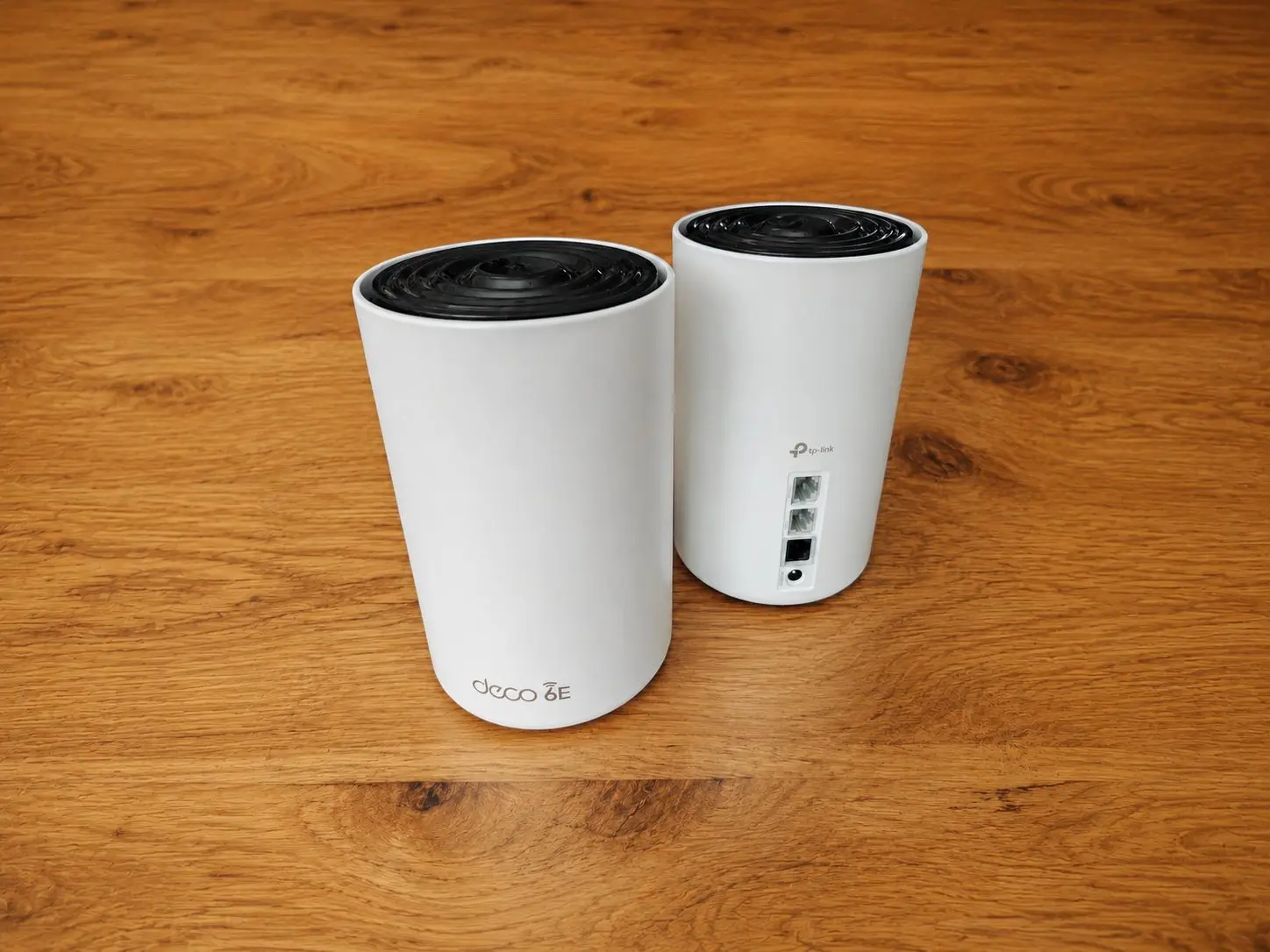
At the top of the list is the TP-Link Deco BE63. This is a full tri-band Wi-Fi 7 mesh system, and it’s the cheapest complete system on the market at as little as $240.
In testing, HomeToolHQ measured combined throughput around 2,100 Mbps up close. The system offered clean coverage across a 2,200 sq ft two-story home on two nodes. You also get four 2.5-gig ports as well as USB on each unit. While TP-Link claims up to 5,800 sq ft of coverage, it’s best to plan for a floor closer to 3,000-3,500 when used in a home with walls. That still blankets the average home with two nodes.
The catches are pretty minor. You set up the system through a proprietary app that requires you to create a TP-Link account. A few extras come with a HomeShield subscription….giving you tools like advanced parental controls and a few more security features.
But those are relatively minor and don’t change the fact that the BE63 is one of the top options on the market right now.
MSI Roamii BE Pro

You may not have thought that MSI would offer a noteworthy mesh system, but for most reviewers, the Roamii BE Pro was a surprise.
For ~$299, you get much of the same as the Deco BE63: tri-band Wi-Fi 7, four 2.5-gig ports, wall mounts included. The main difference is that the Roamii BE Pro doesn’t require you to create a cloud account to manage the system, nor do you run into subscription asks.
You’ll want to note that it does cost a bit more than the BE63, so the Roamii isn’t a budget pick. You also give up a few things, like a dedicated 10-gig port. Some online reviews noted that the setup process is a bit more complicated than the others on this list.
But if you’re looking for a mesh Wi-Fi system that gets the job done without trying to upsell you, the Roamii BE Pro might be a great option.
Eero 7

If you rent your home, you may want a mesh Wi-Fi system that can travel with you to your next house and requires little to no maintenance. The eero 7 meets that requirement. All you have to do is plug it in, use the connected app to set up the system, and you’ll be good to go.
A three-pack runs for around $350, and the two-pack lands under the average cost of most tri-band alternatives.
There are some limits worth noting with the eero 7. This mesh Wi-Fi system is dual-band (no 6 GHz), so you’re likely to run out of coverage past 2,500 sq ft. It also nudges you toward signing up for eero Plus, which you don’t really need.
But if you’re looking for a generally good mesh Wi-Fi system without the frills, this one works.
ASUS ZenWiFi BT10

Something you may not know: many mesh systems can’t penetrate older, thick-walled homes. Signal can lose strength or die completely when pushing through brick or lath-and-plaster walls, and some flooring systems also become obstacles without a wired option.
If you run into this issue, the ZenWiFi BT10 may be a great option. It bypasses the thicker walls and floors issue with two 10-gig ports that are built for wired backhaul. Just run a single Ethernet cable between the units, and you can typically get the coverage you need. Dong Knows Tech measured nearly 5 Gbps of wireless backhaul at 40 feet, and a full 10 when wired.
The catch? Not only do you need the wire, but you’ll also want to budget around $850-900 for this system. It only has three ports per node, but the fact that there’s no subscription necessary may make up for the price and limitations.
Quick tip – if you can’t run a cable through your walls, a MoCA or powerline adapter can get you by.
Eero Max 7

As I mentioned above, if you have a bit more to spend and want to get past the eero 7’s upsells to Pro, you could go big with the top-of-the-line eero option.
The eero Max 7 comes in at $1,149 for a two-pack and is built for those who have 2.5-gig fiber or faster. It’s also great for those who are pretty deep into Amazon’s smart-home system (it doubles as a Matter, Thread, and Zigbee hub).
But here’s the big caveat I mentioned in the introduction: the verdict on the eero Max 7 has been split online. RTINGS and Tom’s Hardware rave about the close-range speed, but Dong Knows Tech panned it after finding the mesh performance dipped below a gigabit in real-world testing.
My advice? If you aren’t convinced about the performance claims or your internet can’t saturate it, it may be better to go with the Deco BE63.
A Quick Note Before You Buy – The 2026 FCC Router Ruling
On March 23, 2026, the FCC added all foreign-made consumer routers to its Covered List. This decision restricted new equipment authorizations, and since nearly every brand manufactures abroad, that hit just about everyone – even Netgear and Linksys.
But the ruling doesn’t touch anything you already purchased or have already authorized. Existing models stay legal to buy and use. Netgear already secured an exemption, and eero has received conditional approval into 2027. TP-Link claims that it’s shifting to US manufacturing in the near future.
In short: buy the mesh Wi-Fi system you need now from the current stock, and you’ll be good to go.
How to Choose the Right Mesh Wi-Fi System
Four things to know about picking the right mesh system for your home:
1. Start your search with square footage over system speed
On average, a single node will cover about 1,500 sq ft of your home. If your space is under 1,000 sq ft, one unit is likely enough to cover everywhere you’re likely to use a device.
For 1,000-2,500, go with two units, and add one for every 1,000 sq ft above that. Once you get past five nodes, you may start to see things slow down a bit.
2. Pick the right placement for your mesh Wi-Fi system
Once you’ve picked a system, place the nodes high and out in the open. Try to place them roughly in the center of the area that they’ll cover, and keep them away from any obstacles or other devices that can eat the signal.
3. Is Wi-Fi 7 worth it? Is it necessary?
Don’t get tricked into paying more for flashy marketing if you don’t need to. If you’re on a gigabit-plus plan and using 15 or more devices, then Wi-Fi 7 is probably a good idea. But on 300 Mbps or less, Wi-Fi 6 or 6E does the same for less.
For now, at least, MLO usually alternates between bands rather than “combining” them, so you’re not going to see the big gain that the spec sheets imply.
4. Match your system to the plan you have
A 10-gig port won’t perform like you need it to if your plan is under 500 Mbps. On the typical gigabit plan, the Deco BE63 will likely be all that you need. While multi-gig home plans are starting to become more common, they aren’t the norm yet. Only go up once your plan needs it.
The Verdict: TP-Link Deco BE63 Offers the Best Mesh Wi-Fi Performance for the Price
Compared to the others on the market, most homes will benefit the most from the TP-Link Deco BE63. It has the right mix of speed and coverage at the price point. But if you never want to deal with subscription add-ons or cloud logins, then the MSI Roamii BE Pro is your second best option.
If it were my money on an ordinary gigabit plan for my home, I’d go with the Deco and put the savings toward running a few Ethernet cables. No matter what, invest in one that fits your home today and where you may be in the years ahead, and you should be good for a while.